
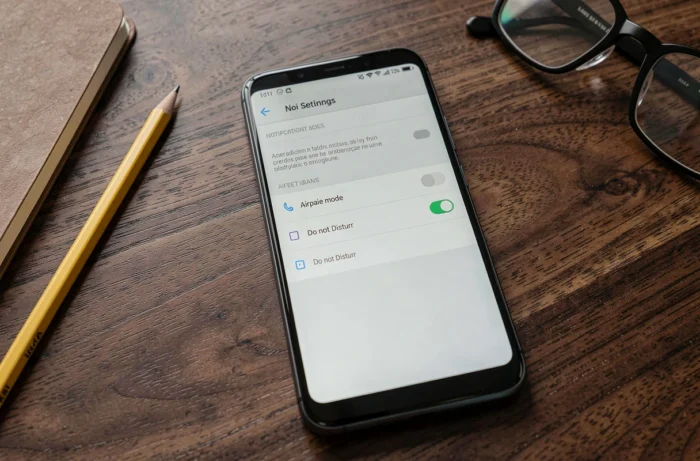
Airplane mode and Do Not Disturb mode share a common reputation as “circuit breakers,” but they operate on radically different layers of the Android system. One neutralizes hardware radios, while the other filters software notifications. Confusing the two is like comparing a battery disconnect switch with an oil filter.
Hardware radios vs. software filtering: what each mode actually cuts on Android
Airplane mode simultaneously disables the cellular modem, Wi-Fi, Bluetooth, and NFC. It operates at the hardware abstraction layer: the system orders the shutdown of the radio chips. No data is transmitted, no signal is emitted.
Do Not Disturb, on the other hand, does not touch any radios. The network remains active, data flows normally. Only the presentation layer of notifications is modified: ringtones, vibrations, and heads-up displays are suppressed according to the configured rules.
This distinction has a direct consequence: in airplane mode, an incoming call never reaches the device (the network no longer sees the IMEI). In Do Not Disturb mode, the call arrives, the modem processes it, but Android chooses not to alert the user, except for programmed exceptions. To fully understand the difference between airplane mode and Do Not Disturb, it is this level of intervention (hardware vs. software) that constitutes the fundamental choice criterion.
Exceptions and favorite contacts: the granular control of Do Not Disturb

Do Not Disturb mode on recent versions of Android (including Samsung One UI, Motorola, and Google Pixel overlays) offers a system of exceptions by contact, by application, and by type of notification. This is where the functional difference becomes decisive.
Do Not Disturb allows exceptions by contact, by app, and by trigger. We recommend configuring at least the following elements:
- Favorite contacts (family, doctor, school) who can reach you despite the silence, including through repeated calls (two calls within a few minutes trigger the ringtone).
- Critical applications such as home security alarms, medical monitoring, or medication reminders, which continue to emit visual and audible alerts.
- Automatic triggers: fixed time (every evening), location (arrival at the office), or opening a specific application (calendar, meditation app). On Pixel and some Motorola devices, these automations can be configured in the Digital Wellbeing settings.
Airplane mode offers nothing comparable. There is no whitelist of contacts or app filtering. It is a binary switch: all radios are turned off, or none.
Airplane mode with Wi-Fi reactivated: an underutilized hybrid profile
On Samsung One UI 7, OnePlus, and Realme, airplane mode allows you to manually reactivate Wi-Fi and Bluetooth after activation. The cellular modem remains off (no calls, no SMS, no mobile data), but the device reconnects to the local network.
This hybrid profile is particularly interesting for two use cases:
- At night, to cut off all incoming calls and SMS while maintaining connectivity to Bluetooth speakers, home automation, or home Wi-Fi. System alarms (Android alarm) work in both modes, but connected alarms (IP camera, cloud smoke detector) require Wi-Fi.
- While traveling, to keep a Bluetooth headset active without being reachable by phone, for example in a meeting or on public transport.
We observe that this behavior (airplane mode + Wi-Fi) has become a true “partial radio disconnection profile” that manufacturers now document in their official help files. It does not replace Do Not Disturb, but it meets a different need: cutting the cellular network while maintaining local connectivity.
Battery life and consumption: real impact of airplane mode vs. Do Not Disturb
Airplane mode significantly reduces energy consumption because it turns off the cellular modem, one of the most power-hungry components of the device. The constant search for a signal (especially in low coverage areas) continuously drains the battery.
Do Not Disturb has no measurable effect on battery life. Radios are running, data is syncing, and notifications are stored in memory. Only their presentation is blocked.
For charging, the same logic applies: activating airplane mode during charging reduces background consumption and may slightly speed up the process. Do Not Disturb does not change the charging speed.
Which mode to choose based on the context on Android
The choice depends on a single question: should the network be cut off or interruptions filtered?
In flight, airplane mode remains mandatory (regulations on radio emissions in the cabin). At the office or in a meeting, Do Not Disturb is sufficient: messages arrive silently, priority contacts get through, and no data is lost.
At night, the choice becomes clearer. If the device is only used as an alarm clock, airplane mode is suitable. If connected apps need to remain active at night, Do Not Disturb is the only viable choice, possibly coupled with the Bedtime mode (Digital Wellbeing) that turns the screen to grayscale and hides notification dots.
Airplane mode with Wi-Fi reactivated is a compromise for those who want zero incoming calls while maintaining their home automation ecosystem. However, it also disables SMS reception, which can be problematic for two-factor authentication or government alerts.
One last constraint to keep in mind: in airplane mode, the device disappears from the cellular network. No emergency call can go through, and GPS location works in a degraded manner (no A-GPS). Do Not Disturb does not pose any of these problems, as the network remains fully operational.